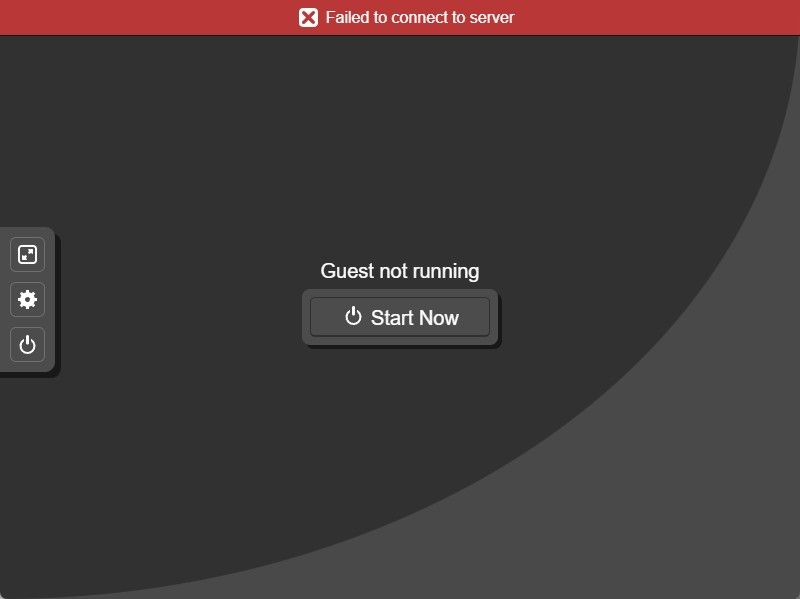
And I get the same issue if I am connected as the Server Provider Administrator account
S
southwalesowl
@southwalesowl
Posts
-
Console not working -
Console not workingHi @woody,
I have run through the troubleshooting guide and I am still getting the same error in the console:

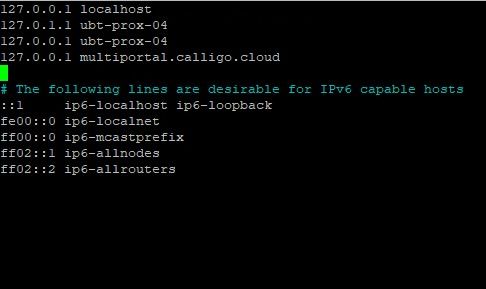
I am now getting a different error in the log so I think we have resolved one issue and found another:
Received SIGINT - shutting down gracefully
[2026-06-16 08:37:03 UTC] Loaded .env from: /var/www/multiportal.calligo.cloud/.env
[2026-06-16 08:37:03 UTC] WARNING: API_TLS_VERIFY is not TRUE - TLS certificate verification disabled for API calls. Set API_TLS_VERIFY=TRUE to enable verification.
[2026-06-16 08:37:03 UTC] WARNING: PROXMOX_CA_CERT not set - TLS certificate verification disabled (rejectUnauthorized: false). Set PROXMOX_CA_CERT=/path/to/ca.crt to enable verification.
[2026-06-16 08:37:03 UTC] WARNING: PROXMOX_ALLOWED_HOSTS not set - wssUrl hostname will not be validated against an allowlist. Set PROXMOX_ALLOWED_HOSTS=node1.example.com,node2.example.com to restrict allowed Proxmox hosts.
[2026-06-16 08:37:03 UTC] Server running on 127.0.0.1:8081
[2026-06-16 08:38:30 UTC] Authenticating and obtaining ticket…
[2026-06-16 08:38:30 UTC] Calling console-view API: https://multiportal.calligo.cloud/api-v1/virtual-machine/console-view?id=c0edb1a9-bbb1-4cbd-baac-bb17e304e104&console=false
[2026-06-16 08:38:30 UTC] Error in WebSocket connection: connect ECONNREFUSED 127.0.0.1:443
[2026-06-16 08:38:30 UTC] Client connection closedThanks
Pete -
Console not workingEnvironment
- MultiPortal Version: 1.1.3
- Proxmox VE Version: 9.2.3
- Deployment Type: [Single Node / HA Cluster] HA Cluster
- Browser (if UI issue): Edge
Description
I have just installed MultiPortal on a POC Proxmox 2 node cluster with a qdevice. I have 1 reseller and 3 tenants. Everything is working as expected. I can deploy from templates and ISOs, start, stop, edit hardware, etc. The only issue I have is that the console connection is not working. From a tenant, if I open a console, I get a red banner with Failed to connect to server on it. I am able to ping the Proxmox hosts by name from the machine that I can connecting from. Under the Service Provider Admin login, under Settings, Console Control Panel, I can see the following:[2026-06-15 17:17:29 UTC] Authenticating and obtaining ticket…
[2026-06-15 17:17:29 UTC] Calling console-view API: https://multiportal.calligo.cloud/api-v1/virtual-machine/console-view?id=b1936eb4-5ad5-4a39-a18a-d71e9d7e5feb&console=false
[2026-06-15 17:17:30 UTC] Error in WebSocket connection: Unexpected API response shape - missing token or wssUrl
[2026-06-15 17:17:30 UTC] Client connection closedI am quite new to Proxmox and MultiPortal so I am sure that I have just missed something. Can anyone please help?
Steps to Reproduce (if applicable)
- As Above
Expected Behavior
Console to connectActual Behavior
Console fails to connectLogs/Screenshots