
Console not working
-
Environment
- MultiPortal Version: 1.1.3
- Proxmox VE Version: 9.2.3
- Deployment Type: [Single Node / HA Cluster] HA Cluster
- Browser (if UI issue): Edge
Description
I have just installed MultiPortal on a POC Proxmox 2 node cluster with a qdevice. I have 1 reseller and 3 tenants. Everything is working as expected. I can deploy from templates and ISOs, start, stop, edit hardware, etc. The only issue I have is that the console connection is not working. From a tenant, if I open a console, I get a red banner with Failed to connect to server on it. I am able to ping the Proxmox hosts by name from the machine that I can connecting from. Under the Service Provider Admin login, under Settings, Console Control Panel, I can see the following:[2026-06-15 17:17:29 UTC] Authenticating and obtaining ticket…
[2026-06-15 17:17:29 UTC] Calling console-view API: https://multiportal.calligo.cloud/api-v1/virtual-machine/console-view?id=b1936eb4-5ad5-4a39-a18a-d71e9d7e5feb&console=false
[2026-06-15 17:17:30 UTC] Error in WebSocket connection: Unexpected API response shape - missing token or wssUrl
[2026-06-15 17:17:30 UTC] Client connection closedI am quite new to Proxmox and MultiPortal so I am sure that I have just missed something. Can anyone please help?
Steps to Reproduce (if applicable)
- As Above
Expected Behavior
Console to connectActual Behavior
Console fails to connectLogs/Screenshots
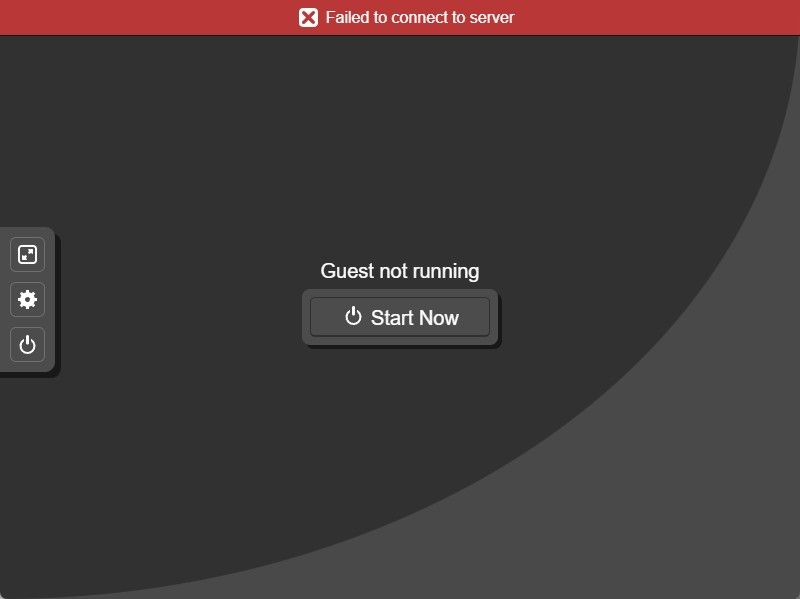
-
Have you been able to connect to the console using the Service Provider account?
If not, can you please run through the steps outline on this page, particularly the one around the API key: https://docs.multiportal.io/troubleshooting/console-server/
Matt
-
Hi @woody,
I have run through the troubleshooting guide and I am still getting the same error in the console:

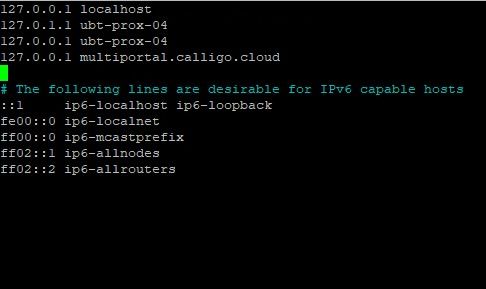
I am now getting a different error in the log so I think we have resolved one issue and found another:
Received SIGINT - shutting down gracefully
[2026-06-16 08:37:03 UTC] Loaded .env from: /var/www/multiportal.calligo.cloud/.env
[2026-06-16 08:37:03 UTC] WARNING: API_TLS_VERIFY is not TRUE - TLS certificate verification disabled for API calls. Set API_TLS_VERIFY=TRUE to enable verification.
[2026-06-16 08:37:03 UTC] WARNING: PROXMOX_CA_CERT not set - TLS certificate verification disabled (rejectUnauthorized: false). Set PROXMOX_CA_CERT=/path/to/ca.crt to enable verification.
[2026-06-16 08:37:03 UTC] WARNING: PROXMOX_ALLOWED_HOSTS not set - wssUrl hostname will not be validated against an allowlist. Set PROXMOX_ALLOWED_HOSTS=node1.example.com,node2.example.com to restrict allowed Proxmox hosts.
[2026-06-16 08:37:03 UTC] Server running on 127.0.0.1:8081
[2026-06-16 08:38:30 UTC] Authenticating and obtaining ticket…
[2026-06-16 08:38:30 UTC] Calling console-view API: https://multiportal.calligo.cloud/api-v1/virtual-machine/console-view?id=c0edb1a9-bbb1-4cbd-baac-bb17e304e104&console=false
[2026-06-16 08:38:30 UTC] Error in WebSocket connection: connect ECONNREFUSED 127.0.0.1:443
[2026-06-16 08:38:30 UTC] Client connection closedThanks
Pete -
And I get the same issue if I am connected as the Server Provider Administrator account
-
Hey @southwalesowl,
Adding the
127.0.0.1 multiportal.calligo.cloudhosts entry just allows MultiPortal and the console server to talk to each other locally, however, the error you now haveECONNREFUSED 127.0.0.1:443means the console server cannot reach MultiPortal locally on port 443. That loopback shortcut only works when MultiPortal is handling its own traffic directly on the server.Can you please confirm:
- MultiPortal was installed using the automated script?
- Is an SSL configured on the box, or are you using a Load Balancer for MultiPortal?
- Confirm the system is reporting on port 443
sudo ss -ltnp | grep ':443'You should see something like
⎿ LISTEN 0 4096 *:443 *:* users:(("caddy",pid=4140634,fd=7))
Can you also comment out that hosts entry you added to your MultiPortal server, restart the console server, and try connecting again? Let me know if the old error comes back after you regenerated the new API key.
Matt

Hello! It looks like you're interested in this conversation, but you don't have an account yet.
Getting fed up of having to scroll through the same posts each visit? When you register for an account, you'll always come back to exactly where you were before, and choose to be notified of new replies (either via email, or push notification). You'll also be able to save bookmarks and upvote posts to show your appreciation to other community members.
With your input, this post could be even better 💗
Register Login