
Adding datastores to storage policy does not work properly
-
Environment
- MultiPortal Version: 1.1.1
- Proxmox VE Version: 8.4.0
- Deployment Type: HA Cluster
- Browser (if UI issue): Any
Description
After adding additional datastore to my storage policies the config does not get applied to all systems.
Moving a VM from to the newly added datastore it creates this error/warning:
torage is being used (local-lvm), while not set in the VDC Storage Policy. VM.Also: Creating a new policy with the new datastore works, but if I add the policy to an existing virtual datacenter the storage is still not recognized. Warning stays the same.
Steps to Reproduce (if applicable)
- Open Datacenters
- Edit existing datacenter
- Add datastore to storage policy or create a new one
3.a: If new policy add the policy to an existing virtual datacenter - move existing vm to the new datastore.
- go to the vm in MultiPortal, the error should appear.
Expected Behavior
The system recognizes the new datastore being a part of ether an existing policy or of a new policy that has been added to the virtual datastoreActual Behavior
Ether Way, the datastore is not recognized.Logs/Screenshots

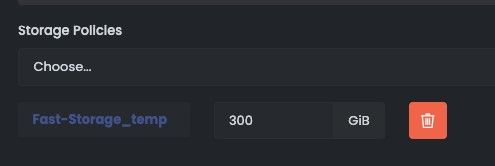
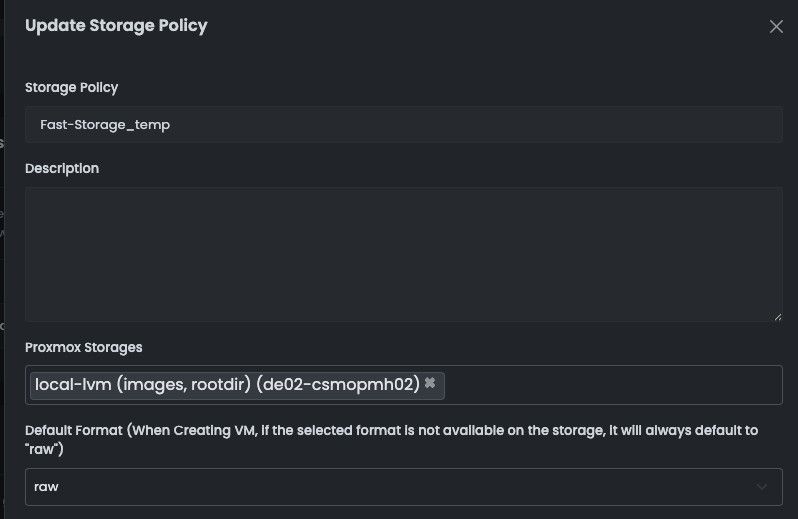
(Yes i know local lvm isnt optimal, this is a test)
Regards,
Felix -
Hey @csmo
I’ve just sent you a message asking for your logs, there is some information that I need to check.
The most common issue that comes up, specifically with local-lvm, is if you’re running more than one Proxmox node. Are you able to confirm if you have more than one node, that shares the same name?
Matt

Hello! It looks like you're interested in this conversation, but you don't have an account yet.
Getting fed up of having to scroll through the same posts each visit? When you register for an account, you'll always come back to exactly where you were before, and choose to be notified of new replies (either via email, or push notification). You'll also be able to save bookmarks and upvote posts to show your appreciation to other community members.
With your input, this post could be even better 💗
Register Login